Skip to content
Coneberry
Get Started Sign in

How it works

Every step of a Coneberry order, from finding the right publications in the dashboard to collecting your live links and report.

Step 1

Find the right sites

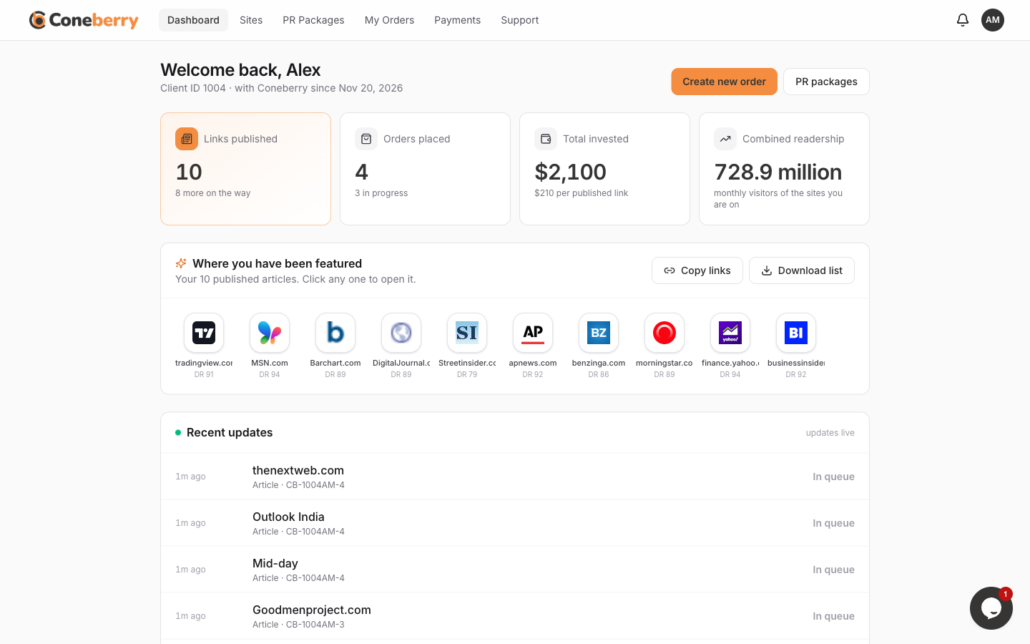
Open the dashboard and answer six quick questions: an article or a press release, one site or several, how strong the sites should be, your budget per site, the countries of your readers and, if you like, the traffic you want. Find my sites suggests the publications that fit. Or browse all 6,000+ sites yourself and filter by category, price, Domain Rating, traffic, country and link type. Every site shows its price, a recent sample article and its turnaround time before you commit to anything.

Find my sites, step by step
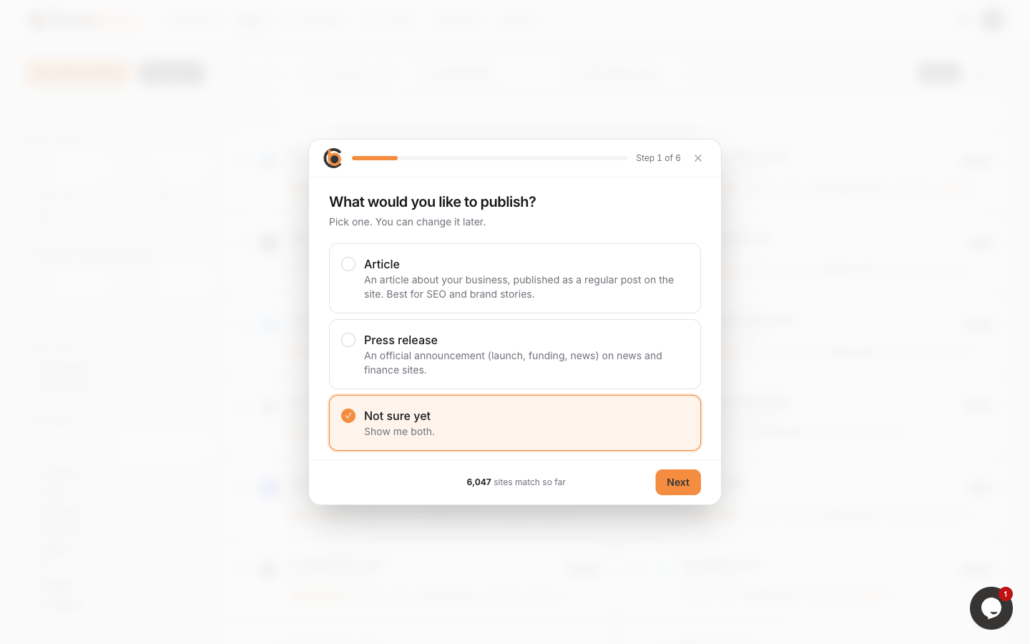
dashboard.coneberry.com
Coneberry dashboard: Find the right sites

Step 2

Pick sites or a PR package

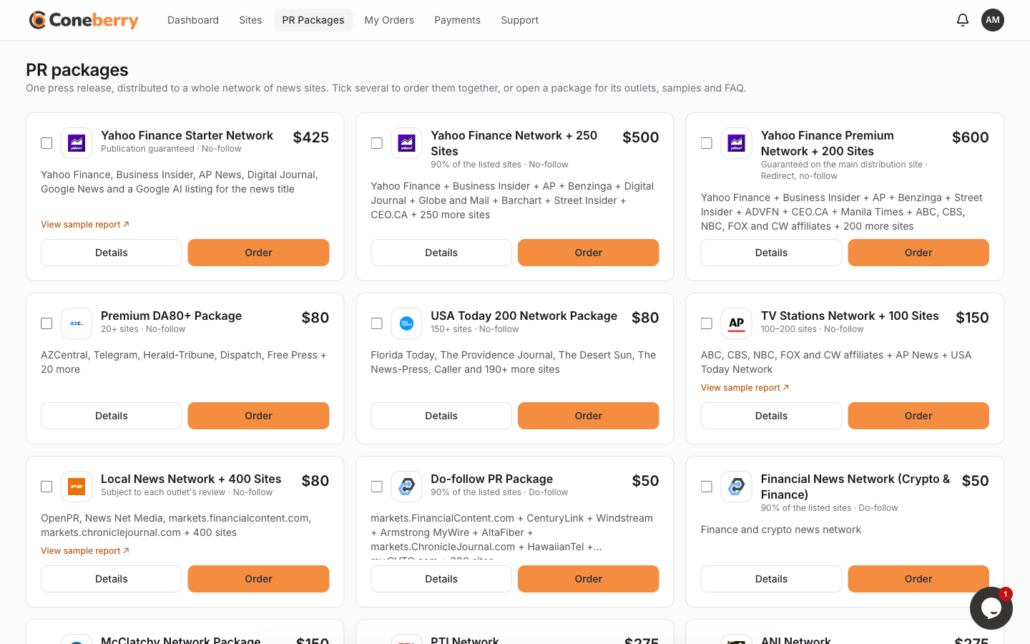
Tick the sites you want, or choose a press release package that places one release on a whole network such as Yahoo Finance, AP News, TV station affiliates or the USA Today network. You can mix several sites and packages in one order. A running total shows what you have picked, and each package page lists its key sites, a sample report and what is included.

Placing an order
dashboard.coneberry.com
Coneberry dashboard: Pick sites or a PR package

Step 3

Create your free account

You only need an account when you create the order: sign up with Google in one click, or with your email address. Browsing, comparing and checking samples never needs an account. Your account gets a client ID, and every order is numbered so you can always find it again.

Creating your account
dashboard.coneberry.com
Coneberry dashboard: Create your free account

Step 4

Send your content, or let us write it

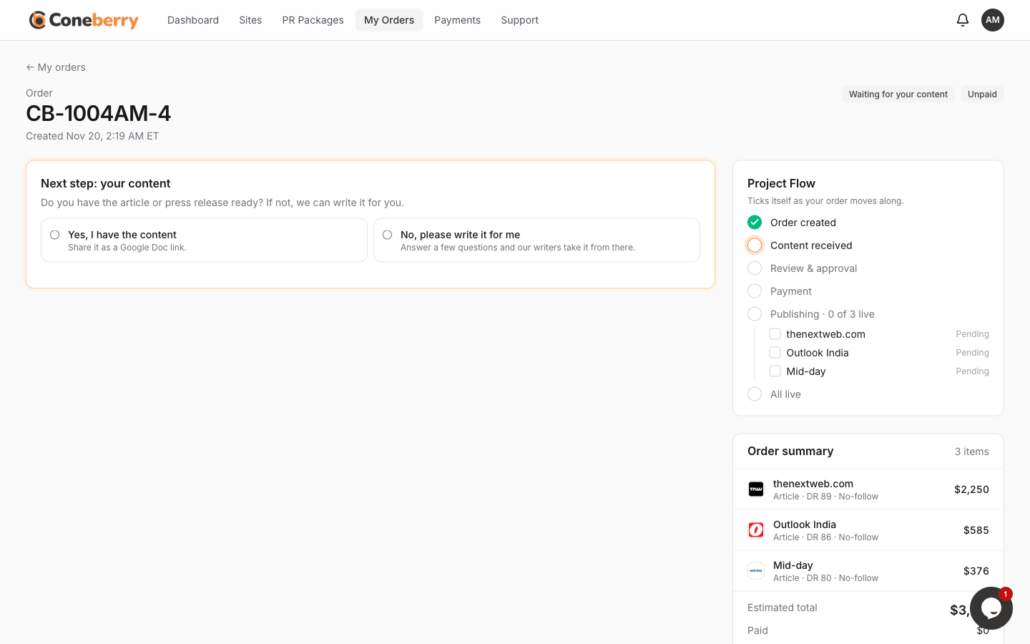
Already have an article or press release? Share it as a Google Doc link with your images. No content yet? Answer a short questionnaire about your company and news, and our writers prepare the article or release for you. Nothing is published until you approve the final text.

Sending your content
dashboard.coneberry.com
Coneberry dashboard: Send your content, or let us write it

Step 5

Review the invoice and pay

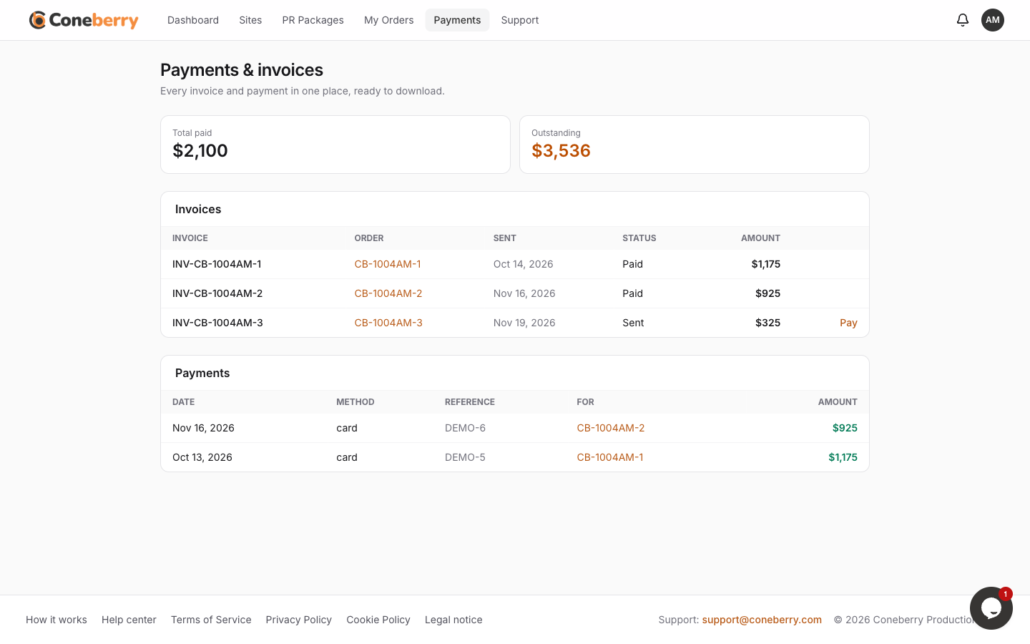
Our team reviews your content against each publication's guidelines first, so you never pay for something a site will not accept. Then you receive the invoice with a secure payment link, by default through PayPal. Full payment is made in advance, and every invoice and receipt stays in your dashboard.

Payments and invoices
dashboard.coneberry.com
Coneberry dashboard: Review the invoice and pay

Step 6

Follow every step in your dashboard

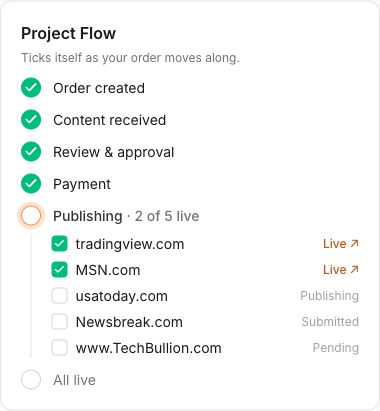
Your order moves through clear stages, from content review to publishing. The Project Flow checklist shows where each site stands, and the message board on the order lets you talk to the team and share files. You get an email or a browser notification when something needs you, and nothing is ever lost in an inbox.

Order stages and the Project Flow
dashboard.coneberry.com
Coneberry dashboard: Follow every step in your dashboard

Step 7

Get your live links and report

As each publication puts your article live, its link appears on your order straight away. When everything is live, the order is delivered with a complete report you can share with your team or clients, and the links stay in your dashboard for good. Use them on your website as "As seen on" proof, in sales decks and on social media.

After publication
dashboard.coneberry.com
Coneberry dashboard: Get your live links and report

Good to know before you start

Articles or press releases?

A press release is official company news: a launch, funding, a partnership, a milestone. It usually goes out on a network of sites at once. An article (guest post) is a story or topic piece on one site you choose. Many clients use both. Which one do you need?

DR (Domain Rating) scores a site’s authority from 0 to 100. Traffic estimates monthly visitors. Link type says whether a link is do-follow or no-follow. All three appear on every site. The glossary

What does it cost?

Every site and package shows its price before you order. Placing an order costs nothing upfront; you pay the invoice after we have reviewed your content. Writing is available if you need it. How pricing works

How long does it take?

Our review usually takes one working day. Many publications go live within a few days of payment; each works at its own pace, and the usual turnaround is shown per site. Publishing times

What you will see in your dashboard

  • Sites: the full catalogue with filters for category, price, DR, traffic, country and link type, and Find my sites for suggestions.
  • PR packages: networks with their key sites, a sample report and what is included.
  • My orders: each order’s stage, the Project Flow checklist of every site, your content and the message board with our team.
  • Payments: invoices with their payment link and PDF, and the receipts of what you paid.
  • Support: tickets for anything beyond an order, live chat and the help center.
  • Notifications: emails and, if you allow them, browser notifications when something needs you.

Questions about the process

Do I need an account to look around?

No. Sites, prices, samples and PR packages are open to everyone. You create a free account when you place an order, with Google or your email address.

Can I order several sites and packages in one order?

Yes. Tick as many sites and packages as you like; they all go into one order with one invoice. Ordering several sites.

What if I don't have content yet?

Choose “please write it for me” on your order and answer the short questionnaire. Our writers share a draft in your order’s messages, and nothing is published before you approve it.

When do I pay?

After our team has reviewed your content, you receive the invoice with a secure payment link, by default through PayPal. Full payment is made before publishing starts.

What if a publication declines my content?

You choose a replacement of equal or greater value, or a full refund for that site. Refunds and replacements.

Where do I get help?

On the order itself, in its message board; or in live chat, a support ticket, the help center or by email to support@coneberry.com. Getting help.

Ready to get published?

Open the dashboard, tell us about your brand and see the publications that fit you, with prices, sample articles and turnaround times. Creating an account is free.