

How to Send Your Article or Press Release for Publishing: A Google Docs Guide
You have chosen the publications and placed your order. Now comes the step that decides how smoothly everything else goes: sending your content. If you have ever had an editor bounce a document because the link was locked or the images were missing, you know how much time a small mistake can cost.
This guide shows how to send your article for publishing through the Coneberry dashboard. Coneberry is a single place to get articles and press releases published on real news and business websites, so your brand is seen on trusted publications and found by people and AI search tools. You manage everything from one free dashboard at dashboard.coneberry.com, and the content step takes a few minutes when you are prepared.
What happens after you place an order?
Placing an order costs nothing upfront. It opens your order page, which has a status at the top, a Project Flow checklist on the right and a Messages chat with our team. The first item waiting for you is content. The page asks one question: Do you have the content?
Also worth a look: Indian News Networks for Press Releases: PTI, ANI, Super 100 and Super 200 Explained and Yahoo Finance Press Release Distribution: How Finance News Packages Work.
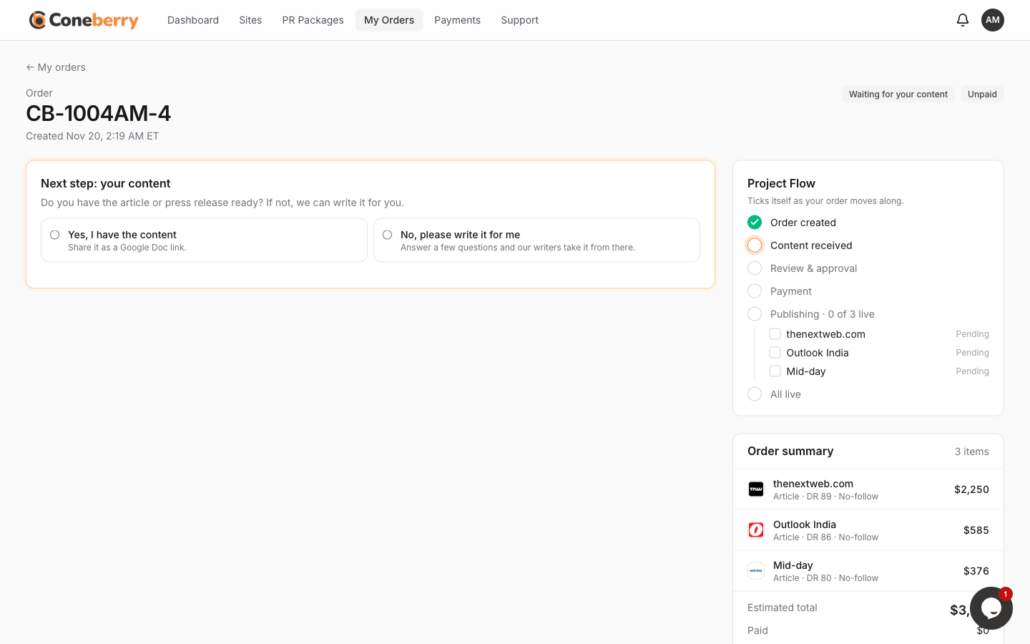
The order page asks whether you already have the content.
You have two answers. Yes, I have the content means you share a Google Doc. No, please write it for me means you fill in a short questionnaire and we write the draft. This guide covers the first path; for the second, read No content yet? We write it for you.
How do you submit a Google Doc?
- Open your order from My Orders.
- Under Do you have the content?, choose Yes, I have the content.
- Choose One doc for all sites or A doc per site.
- Paste your Google Docs link. A Google Drive link to a Word file also works.
- Press Submit content.
You see Content received straight away and the Project Flow ticks that step. Our team then reviews the content, usually within one working day.
How should you share the document?
This is where most delays start. If our team cannot open the link, nothing can move forward. Set it up like this:
- In Google Docs, press Share.
- Under General access, choose Anyone with the link.
- Set the role to Viewer.
- Press Copy link and paste it into the order.
Viewer access is enough. People can read the document but not change it, so your original stays safe. If the link does not work, we say so in your order messages and you can send a new one.
One doc for all sites, or one per site?
If your order has several publications, you decide how to supply the text:
- One doc for all sites sends the same text everywhere. It is simple, and it is the common choice for press releases, where the point is that the same announcement appears in many places.
- A doc per site lets you give each publication its own article. For guest posts this is often the better choice, because every site gets a distinct piece written for its audience rather than identical copies.
Not sure which kind of content you need? Our guide on press release or guest post helps you choose.
How do you prepare a document that gets published?
We publish what you send, so treat the document as the final version:
- Send a finished draft. Headings, links and images are copied as written.
- Place images where they belong. A wide header image at the top works best. Only use images you have the right to use.
- Add links as normal links in the text. Check the guidelines of each site or package for how many are allowed.
- Keep claims accurate. Avoid misleading statements and anything you cannot support.
- Match the topic to the site. Finance, crypto, health, gambling and adult topics only go to sites that accept them.
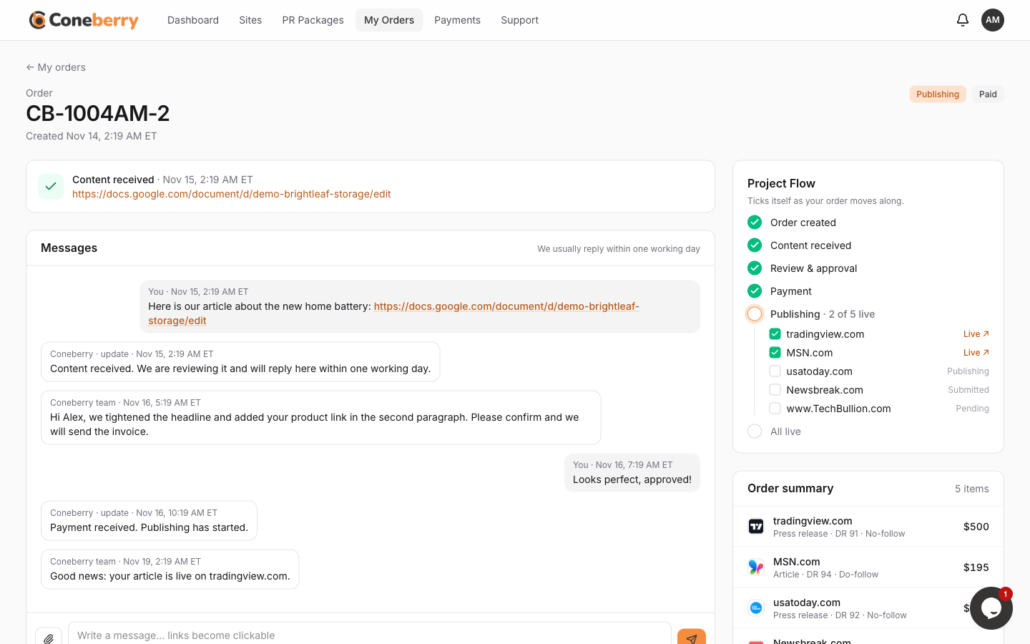
After you submit, the Messages chat opens so you can talk to the team.
For writing advice, see how to write a guest post that publications accept and how to write a press release that gets published.
What if you need to change something?
You can change your content until we have sent it to the publications. Write in the order’s Messages with the new link or the edit you want. After the content has gone out, ask in the chat and the team will tell you what is still possible.
Mistakes that slow an order down
Most delays are small and easy to avoid. These are the ones we see most often:
- Link access set to Restricted. If the document is private, nobody on our side can open it. Check it with a private browser window before you paste the link.
- A draft that is still changing. If you keep editing after you submit, the version we read may not be the one you meant. Submit when it is final, or send the new link in Messages.
- Images pasted as links. Put pictures in the document itself, in the order you want them to appear.
- Too many links. Many sites limit them. Count yours against the guidelines on the site or package.
- The wrong topic for the site. A regulated topic sent to a site that does not accept it will be declined, and the site then needs a replacement.
A short checklist before you press Submit
- The text is the final version and has been proofread.
- The title is clear and says what the piece is about.
- Images sit where they should appear, with a wide header image first.
- Every link works and points to the right page.
- The document is shared as Anyone with the link, Viewer.
- You chose one doc or a doc per site on purpose.
If you tick all six, the review step is usually quick.
Frequently asked questions
Do I need a Google account?
You need a way to share a link to a document. Google Docs is the usual choice, and a Drive link to a Word file also works.
Will the publication label my content as sponsored?
Some do, because their policy or advertising law requires it. Coneberry never asks a publication to hide that a placement was paid for.
Does Coneberry edit my text?
The team reviews content for quality and publication rules, and may send a preview for your approval. Nothing is published without your approval.
How long is the review?
Usually within one working day, though it can vary.
Start by choosing your sites
If you have not picked publications yet, browse the Sites page. It is free and needs no account.
More step-by-step help is in the Coneberry Help Center.


