

How to Choose the Right Publications for Your Brand

Faced with thousands of websites that could publish your story, how do you choose? Pick the biggest name and you may overspend on an audience that does not match your customers. Pick the cheapest and you may end up on a site nobody reads. Learning to choose the right publications is the most important decision in any guest posting or press release project, and it deserves a method.
This guide shows how to find the right publications for your brand using the tools in the Coneberry dashboard. Coneberry is one place to get articles and press releases published on real news and business websites, so a brand builds its reputation and authority online. You can browse more than 5,000 publications for free at dashboard.coneberry.com, no account needed.
How to choose the right publications: start with your goal
Before you open any filter, answer one question: what should this publication do for your brand? Typical goals are:
Also worth a look: How to Create a Coneberry Account and Sign In and Publishing Crypto, Supplements and Gambling Content: What to Know.
- Credibility: being able to say you were featured on a respected publication.
- Being found: giving people who search for your brand credible pages to read.
- Reaching a specific audience: readers in a country, industry or niche.
- Announcing news: a launch, funding round or partnership.
Your goal decides the type of placement. News goes in a press release. A brand story, an opinion piece or an explainer goes in an article (also called a guest post). Both options are covered in the help article on finding the right sites.
The fast route: Find my sites
If you want suggestions rather than a long search, use Find my sites. It is a short quiz of six questions: what you want to publish, whether you want one site or several, how strong the sites should be (minimum DR), your budget per site, the audience you want to reach, and the monthly traffic you would like. When you finish, Coneberry shows the publications that match, and you can still change any filter afterwards.
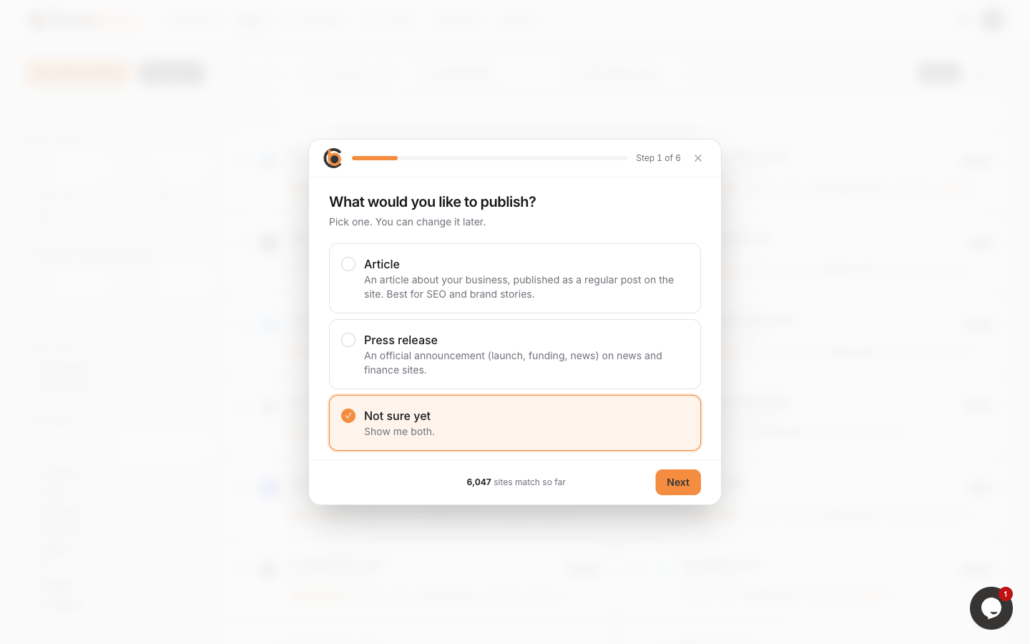
Find my sites asks six short questions, then suggests matching publications.
The hands-on route: search and filters
If you prefer to explore, the Sites page gives you full control.
Tabs and categories
The tabs at the top switch between All, Articles and Press releases. The category dropdown narrows the list to topics such as General, Tech, Business, Finance, News and AI, plus Health, Lifestyle, Real Estate, Crypto and more. A site can sit in several categories, so a business site might appear under both Business and Finance.
Filters on the left
- Price range: set your budget.
- DR range: Domain Rating is a 0 to 100 score of how strong a site’s link profile is. A higher number usually means a more established site.
- Link type: do-follow links can pass authority to your website, while no-follow links still bring visibility and visitors.
- Country: where most of the readers are.
- Traffic: estimated monthly visitors.
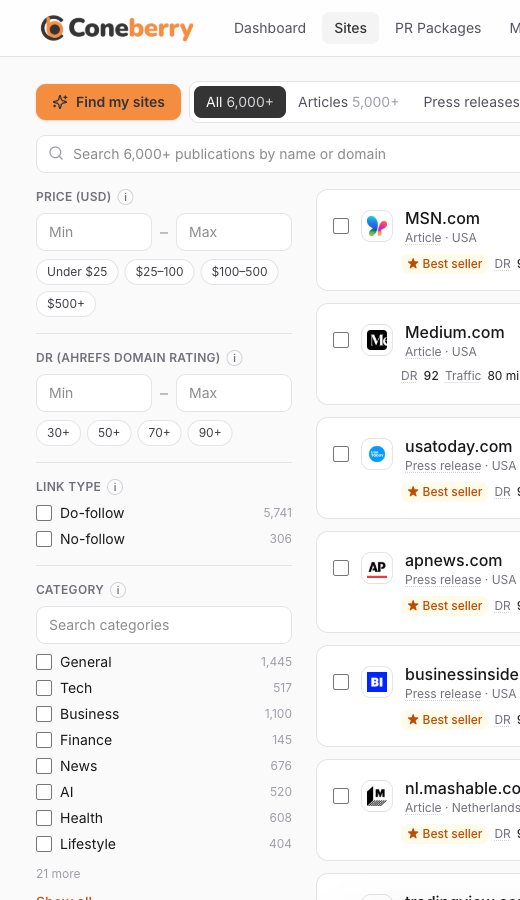
The left-hand filters narrow publications by price, DR, link type, country and traffic.
Search, sorting and views
The full-width search box finds a site by name or domain. You can sort by DR, price, traffic or name, and switch between Cards and Table. Cards show the site name and icon, post type, country, price, DR, monthly traffic and link type. Table view is useful when you want to compare many sites at once, because you can click any column title to sort.
Check before you order
Numbers only tell part of the story. Use these checks before you tick a site:
- Open the Sample. Most cards have a Sample link to a real article published on that site. Does it look like a place your customers would read? Does the design feel professional?
- Read the topic fit. A technology brand belongs on a technology or business site, not a lifestyle blog.
- Look at the audience country. A local service gains more from local readers than from a bigger international site.
- Mind the label. Some publications mark paid content as sponsored or partner content. That is their policy, and Coneberry never asks them to hide it.
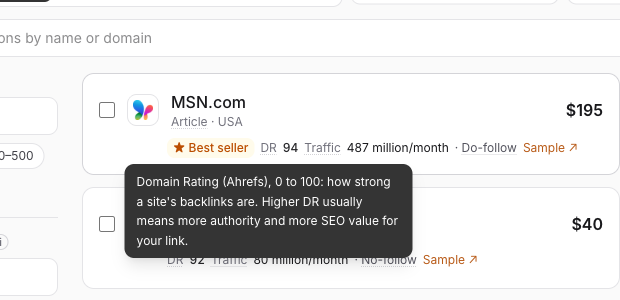
Underlined terms such as DR and Do-follow explain themselves when you hover or tap.
Mix sites for a stronger result
You do not need to choose just one. Many brands combine a few strong, high-DR publications with several mid-range ones that match their niche. Others use a PR package, which sends one press release to a whole network of outlets for one price. Package details show the outlets, what is guaranteed, the link type and a sample report from an earlier distribution.
A quick example
Imagine a small software company in Canada that has just launched a new product. Its goal is credibility with business readers and a mention that shows up when people search for the product name. It takes the Find my sites quiz and chooses press release, several sites, a mid-range DR, a moderate budget and readers in North America. From the suggestions it opens three samples, drops one that looks too consumer-focused, and orders the other two. A month later it adds a PR package for wider reach. Nothing here needed expert knowledge, only a clear goal and a few minutes with the filters.
What the numbers do not promise
DR and traffic come from third-party tools and from publishers at the time of listing. They change, so treat them as a guide. Publications are independent and keep the final editorial decision. Coneberry does not guarantee indexing on Google, ranking improvements or traffic. What it does is get your content published on real sites and give you the live links.
Frequently asked questions
How many sites should I start with?
Start with what your budget and goal allow. A single well-chosen site gives you a real feel for the process, and you can place more orders later.
Is a higher DR always better?
Not always. A higher DR usually means a stronger site and a higher price, but audience fit and topic relevance matter just as much.
Should I choose do-follow or no-follow?
Do-follow links can pass authority to your site. No-follow links do not, but they still give you visibility and readers. Many brands want both.
Where can I see what a site looks like?
Use the Sample link on its card or row. It opens a real article published on that site.
Start exploring
The quickest way to learn is to try the filters yourself. Browse the publications for free, no account needed, or take the six-question quiz to get suggestions.
More step-by-step help is in the Coneberry Help Center.


